Z-Image Turbo vs Nano Banana: Which Image Model Fits Your Workflow?
A source-backed comparison of Z-Image Turbo and Google Nano Banana across deployment, generation, editing, reference images, text rendering, speed, provenance, cost model, and production fit.
By Z-Image Photo Editorial Team
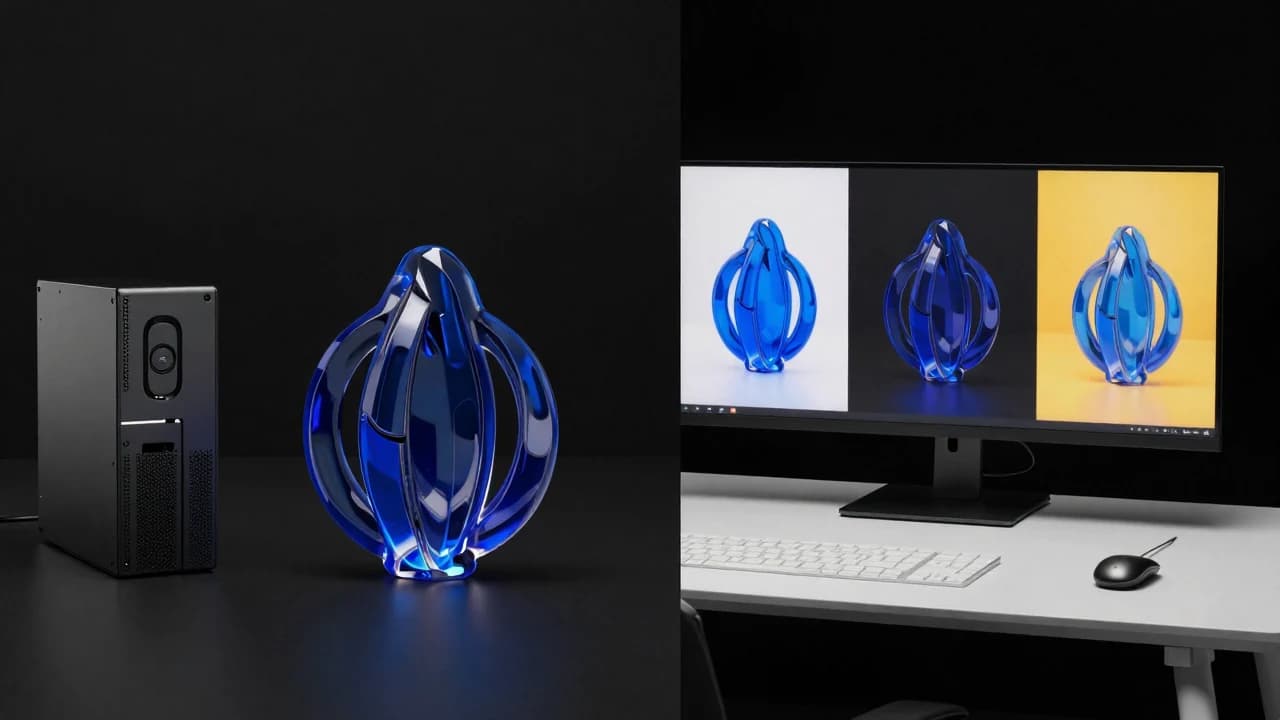
Short answer: choose Z-Image Turbo when open weights, local deployment, predictable infrastructure, and fast text-to-image generation matter most. Choose a current Nano Banana model when native image input, conversational editing, multiple references, broader Gemini context, or Google-hosted production tooling is central to the workflow.
930205; it is not presented as a Nano Banana output.
First, what does Nano Banana mean?
Google uses Nano Banana as the name for Gemini's native image-generation capabilities, not for one permanent model. As of this article, Google's documentation lists Nano Banana 2 Lite, Nano Banana 2, Nano Banana Pro, and the older Gemini 2.5 Flash Image model. Capabilities differ by tier, so a comparison should always name the exact Gemini image model.
Z-Image is also a family. This article focuses on Z-Image Turbo, the distilled 6B text-to-image variant used by this site. The wider Z-Image family includes separate foundation, Omni, and Edit checkpoints; those should not be confused with features available in this website's current text-to-image generator.
Z-Image Turbo vs Nano Banana at a glance
| Decision | Z-Image Turbo | Nano Banana family |
|---|---|---|
| Deployment | Open weights; can be self-hosted | Google-hosted Gemini API and products |
| Primary strength | Fast, efficient text-to-image generation | Native multimodal generation and conversational editing |
| Image inputs | Turbo workflow is primarily text-to-image | Text, images, and combinations of both |
| Iterative editing | Use separate Z-Image editing variants or another editor | Core multi-turn workflow |
| Hardware control | Local GPU, private cloud, or chosen provider | Managed by Google |
| License model | Released code and weights use Apache 2.0 | Proprietary service terms and API pricing |
| Provenance | Your deployment must define its own provenance process | Google says generated images include SynthID |
Where Z-Image Turbo is the stronger fit
Local deployment and infrastructure control
The official Z-Image project describes Turbo as a 6B model using eight model evaluations, fitting within a 16GB VRAM consumer target. The reported sub-second figure is specifically an enterprise H800 benchmark, not a promise for every local GPU. Open weights still make it easier to choose hardware, hosting region, logging, retention, and integration architecture.
High-volume text-to-image iteration
Turbo is designed for fast generation. It suits prompt exploration, gallery production, concept frames, product-scene ideation, and portrait variations when the workflow begins from text rather than reference images.
Chinese and English prompting
The Z-Image project highlights bilingual English and Chinese text rendering. This is useful for posters and regional creative testing, although every character still needs a full-resolution human review.
Where Nano Banana is the stronger fit
Reference images and conversational editing
Google's Gemini image workflow accepts text, images, or both. That makes Nano Banana better suited to tasks such as preserving a subject across edits, blending references, changing one part of an existing image, applying a visual style, or refining an asset over several turns.
World knowledge and complex visual communication
Google positions Nano Banana Pro for complex instructions, professional asset production, multilingual text, brand consistency, and real-world grounding. Nano Banana 2 is the general-purpose balance of intelligence, latency, and cost, while the Lite tier targets cheaper high-volume work.
Managed delivery and provenance
Teams that prefer a hosted API may value not managing model weights or GPU capacity. Google also documents SynthID watermarking for generated images. The tradeoff is less infrastructure control and dependence on current API pricing, quotas, model availability, and service terms.
Text rendering: do not declare a winner from one poster
Both families make text-rendering claims, but the practical result depends on language, length, layout, font treatment, resolution, and model tier. A fair test needs exact transcription scoring, extra-character counts, and multiple seeds. Logos, packaging copy, prices, and legal text should still be added from verified source files.
Cost and speed need workload context
Z-Image can shift cost toward hardware, engineering, and operations; Nano Banana shifts cost toward managed API usage. A fair calculation includes utilization, queueing, storage, retries, moderation, staff time, and egress. Check Google's live pricing rather than copying a number that may change.
Likewise, compare latency under disclosed conditions. Z-Image's H800 benchmark cannot be directly compared with an end-to-end Gemini request that may include uploads, reasoning, editing, network time, and safety checks.
Which should you choose?
- Choose Z-Image Turbo for self-hosting, open weights, fast text-to-image batches, private infrastructure, or a pipeline you want to control end to end.
- Choose Nano Banana 2 for a general hosted workflow combining generation, reference images, and iterative editing.
- Choose Nano Banana Pro when complex instructions, high-resolution professional assets, multilingual layouts, or world knowledge justify a premium model.
- Use both when Z-Image handles rapid ideation and Nano Banana handles reference-based revisions or multi-turn editing.
A fair same-prompt test plan
- Name the exact model versions and test date.
- Use the same semantic prompt, aspect ratio, and output count.
- Separate pure text-to-image tests from reference-image and editing tests.
- Publish every prompt, output, parameter, retry, and failure.
- Score adherence, composition, material, anatomy, text, diversity, latency, and total cost separately.
Explore documented Z-Image results in the gallery, use the prompt guide, or read the sourced Z-Image Turbo model facts before designing your own comparison.
Sources and test record
The cover image was generated with Z-Image using seed 930205. AI-generated images and lettering can contain errors; inspect outputs before publishing.
Show the cover prompt
Wide editorial technology still life split into two equal workspaces. Left: compact matte-black local GPU workstation and cobalt glass sculpture. Right: cloud-connected creative table with three frameless image-only variation panels. Black background, cobalt and restrained yellow, no brands, no words, no watermark.
Try these ideas in the generator
Open the AI image generator and test the prompts, styles, and text-to-image workflows from this article.
Related Articles
Keep exploring more prompt guides, model comparisons, and AI image generation tutorials.

Z-Image Turbo vs FLUX: A Same-Prompt Test Protocol
A fair comparison framework for Z-Image Turbo and FLUX that separates prompt adherence, text, material rendering, anatomy, diversity, latency, and hardware conditions.
Z-Image Turbo vs Midjourney vs FLUX: A Practical Comparison Framework
Compare AI image generators without marketing hype: use the same prompts, aspect ratios, review criteria, and disclosure rules before choosing a model.

50 Z-Image Turbo Prompts Tested: What Actually Works
Patterns from 50 documented Z-Image generations across portraits, products, architecture, fantasy, illustration, nature, and text-bearing scenes.